Alexa for Shopping: Free Amazon AI Assistant Guide
Fat Kid Deals4 months ago12 min read
Fat Kid Deals may earn from qualifying purchases - more info
Affiliate Disclosure: As an Amazon Associate, Fat Kid Deals earns from qualifying purchases. Prices and availability are subject to change.
We may earn a commission for purchases made through links on the website.
Fat Kid Deals may earn from qualifying purchases - more info
Alexa for Shopping is Amazon’s shopping-focused AI assistant for signed-in U.S. customers on the app and website. It helps you compare products, check price history, set alerts, and reorder routine stuff faster. The money part is simple: the core shopping assistant is free, and you don’t need Prime or an Echo device to use it.
If you mostly want a quicker way to spot a better buy, this is worth learning. If you want a flashy AI demo and nothing else, you can probably skip it.
Alexa for Shopping is Amazon’s AI shopping assistant that answers product questions, compares items, and helps you make faster buying decisions. Think of it as a shopping helper built into Amazon’s app and website, not a separate gadget or app you have to learn from scratch.
Rufus is the old name. Amazon rolled the shopping assistant into Alexa for Shopping on May 13, 2026 and tied it to more personalized shopping context, so the thing you used to call Rufus now lives under the Alexa shopping umbrella.
That rename matters because it clears up a big source of confusion. If you see older tips, screenshots, or reviews mentioning Rufus, they’re usually talking about the same shopping assistant family.
Alexa for Shopping is the free Amazon shopping assistant that helps you find the right product, check whether the price is actually good, and avoid paying more than you need to.
The easiest way to think about it's this: Rufus was the older shopping name, Alexa for Shopping is the current shopping assistant, and Alexa+ is the bigger assistant that does more than shopping.
| Name | What it is | Cost | Best for | Where it shows up |
|---|---|---|---|---|
| Alexa for Shopping | Amazon’s shopping-focused AI assistant | Free for signed-in Amazon customers | Product research, price checks, comparisons, alerts, and reorders | Amazon Shopping app, Amazon.com, and select Echo Show shopping experiences |
| Alexa+ | Amazon’s broader AI assistant | Full access is included with Prime or $19.99 per month in the U.S.; non-Prime users can also try a limited free chat tier | Wider household assistant tasks beyond shopping | Alexa-enabled devices, Alexa.com, the Alexa app, and supported Alexa+ surfaces |
| Rufus | The older shopping assistant name | No separate cost now | Same shopping job under the previous branding | Replaced by Alexa for Shopping |
Rufus didn’t disappear so much as get repackaged. The shopping assistant now sits under the Alexa for Shopping name, with more personalization coming from the broader Alexa+ stack.
For you, the practical change is mostly about clarity. The shopper tool got a cleaner name, a broader rollout, and a better explanation of where it fits in Amazon’s ecosystem.
Alexa+ is the bigger assistant, and shopping is just one part of it. It can handle more general assistant tasks, while Alexa for Shopping stays focused on product discovery, comparison, and buy decisions inside Amazon.
The pricing split matters too. The full Alexa+ experience is included with Prime, or you can pay $19.99 per month in the U.S. for full access if you don’t have Prime. If you’re not a Prime member, Amazon also offers a limited free Alexa+ chat experience in the Alexa app and at Alexa.com.
If you only want to save money while shopping, Alexa for Shopping is usually enough. You don’t need to pay for a broader assistant just to compare two blenders or watch a vacuum price drop.
That said, Alexa+ may be worth it if you already want the wider assistant experience and Prime is part of your life anyway. For a lot of deal hunters, the free shopping layer is the part that matters most.
Yes, the core shopping assistant is free for signed-in Amazon customers in the U.S. on the app and website. You don’t need Prime, you don’t need an Echo device, and you don’t need the separate Alexa app just to use the shopping features.
The free version covers the shopper stuff most people actually want: product questions, comparisons, price history, price alerts, target-price buying, and help with routine purchases. That’s the good news for budget shoppers, because those are the features that can save real money.
Free also means low risk. You can try it on a few categories you already know well, then decide whether the assistant is helping or just getting in the way.
Alexa+ is the broader assistant, and the full version comes with Prime or costs $19.99 per month in the U.S. if you aren’t a Prime member. Non-Prime users can also try a limited free Alexa+ chat experience in the Alexa app and at Alexa.com.
So here’s the simple rule: if you only care about shopping help, start free. If you want the full Alexa+ experience, then decide whether Prime or the monthly fee makes more sense for you.
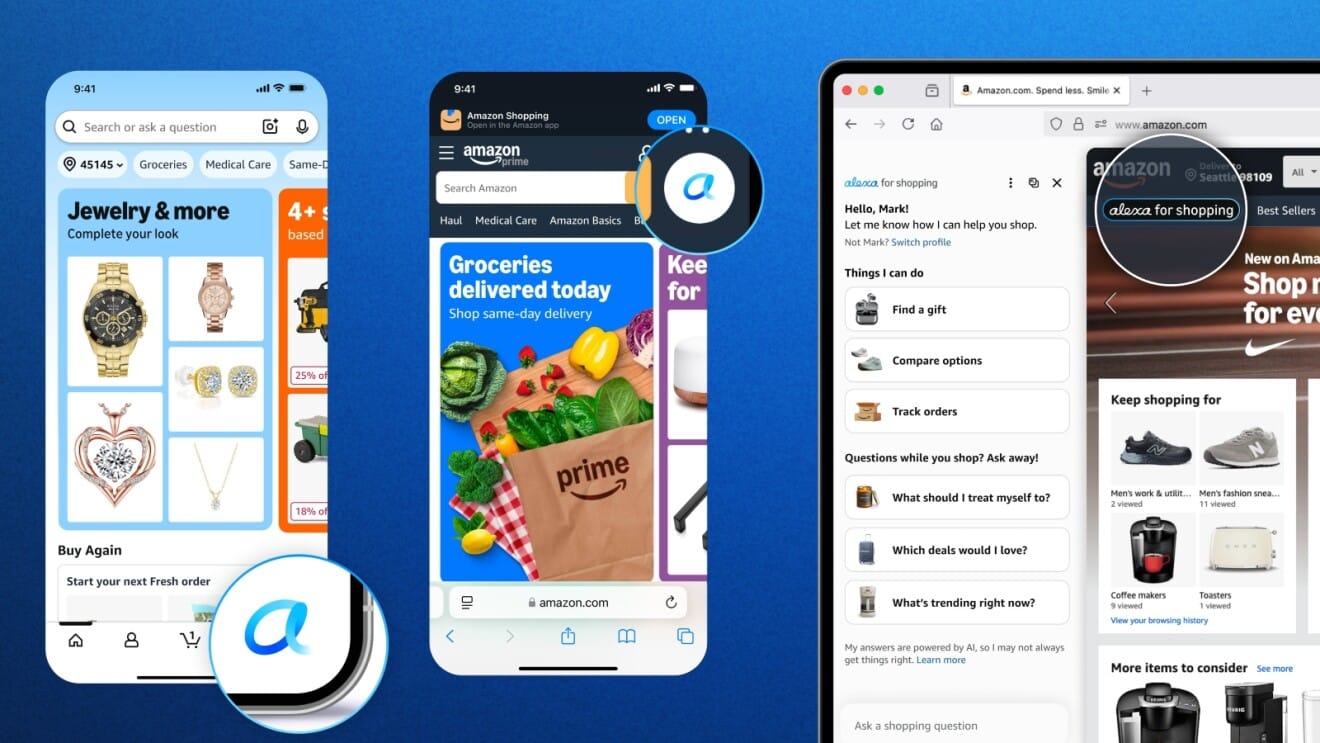
You can use Alexa for Shopping in the Amazon Shopping app and on Amazon.com from desktop. That makes it much easier to use than features that live on a single device or hide inside a maze of settings.
The app is the most natural place to start, especially if you already shop from your phone. It’s where quick product questions, comparisons, deal checks, and price alerts make the most sense.
Desktop is handy when you’re comparing several products at once. A bigger screen makes it easier to look at feature lists, price history, and alternate listings without hopping around as much.
It’s also where you can do a little more deliberate research instead of impulse-buying from a tiny phone screen at 11:47 p.m., which is when a lot of budget mistakes happen.
Echo Show support exists, but don’t assume every Echo device gets the same shopping experience. Amazon says the new full-store shopping interface is available now for Alexa+ customers on Echo Show 15 and Echo Show 21, with more devices coming later.
That caveat matters because it keeps expectations realistic. If you don’t own one of those models, the app and website are still the main ways to use the shopping assistant.
The features worth caring about are the ones that stop you from overpaying, buying the wrong version, or forgetting a reorder. Fancy AI talk is nice, but this tool earns its keep when it helps you make a cheaper or smarter choice.
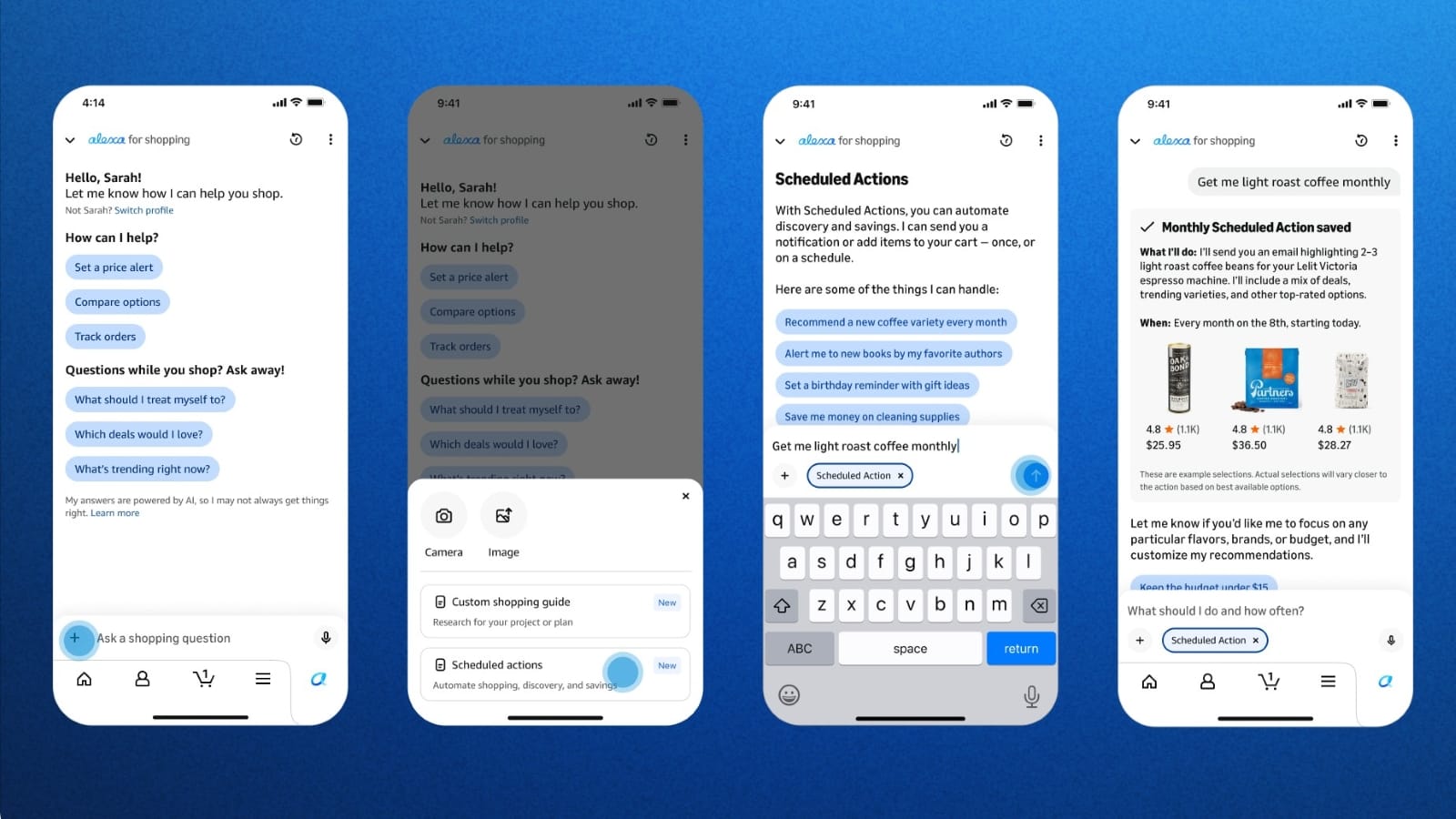
Start with normal human questions, not keyword soup. Try things like Which budget air fryer is easiest to clean? or What’s the difference between these two headphones?
The point is to replace a bunch of tab-hopping with one straight answer. If the assistant can help you cut your research time in half, that’s a real win even before you talk about price.
Comparison is where a lot of shoppers waste money, because two products can look almost identical until you notice battery life, capacity, or a missing feature. Alexa for Shopping helps you sort through that faster.
Use it when you already have two or three likely picks and want the sharper one, not the one with the prettiest marketing copy. If one option has a slightly higher sticker price but a much better feature set, that’s often the cheaper buy in the long run.
Price history is the big one for deal hunters. It helps you see whether a discount is actually good or just dressed up to look like a deal. Amazon says price history is available on product pages, and 365-day price insights are now rolling out in the U.S. alongside 30- and 90-day views.
You can check price history from a product page or ask Alexa for Shopping to help with it. If a product has bounced around a lot, that can change your buy decision fast. Sometimes the smartest move is waiting a week, not clicking through because the page says sale.
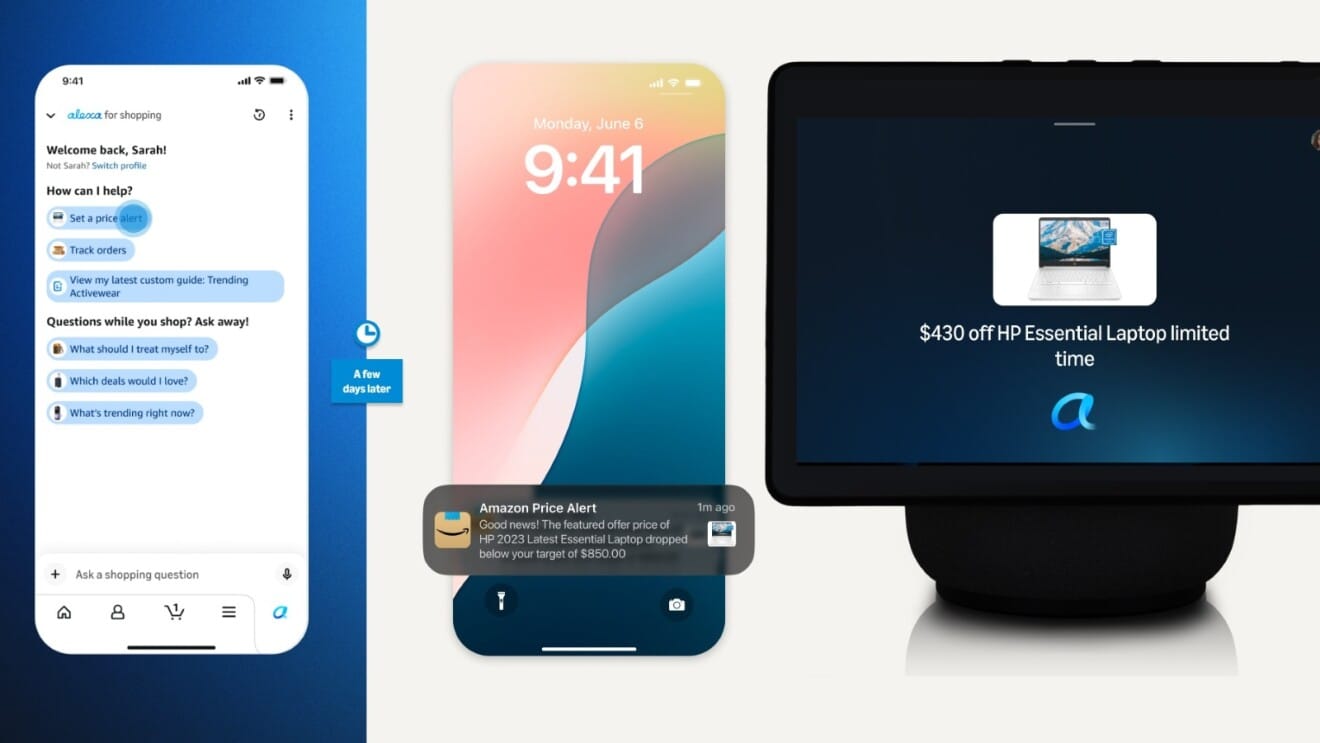
Price alerts are the safer version of automation because they let you wait for a target without handing over the whole decision. That’s great if you know the item you want but don’t want to babysit the listing.
Amazon also says Alexa for Shopping can either alert you or complete your purchase using your default payment and shipping details when an item reaches your target price. If you don’t see that option on a given item, fall back to a regular price alert and make the final call yourself.
If you’re the type who only buys when the price hits a certain number, this is useful. If you tend to change your mind a lot, alerts are better than full automation.
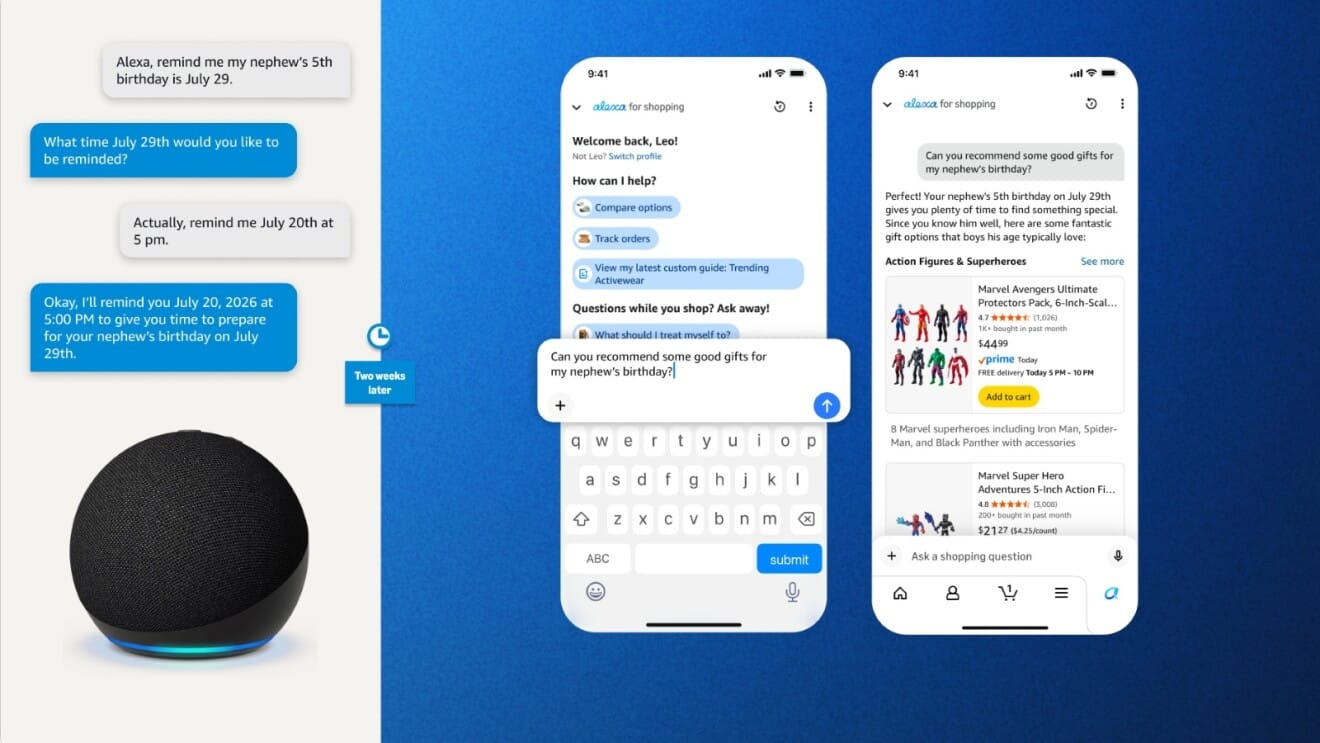
Scheduled actions are for the boring stuff that quietly drains your wallet when you forget to plan ahead. Think detergent, paper towels, pet food, birthday gifts, or the things you always remember three days too late.
This feature won’t magically make you spend less, but it can stop emergency buys. Avoiding a last-minute purchase is often the same as saving money, because rush decisions usually cost more.
Yes, but there are two different ways it can do that, and they aren’t the same thing. Shop Direct can surface items from other online stores, while Buy for Me can complete a purchase for eligible listings using your Amazon checkout details.
Shop Direct helps you discover products from outside Amazon. It’s basically Amazon saying, here’s a thing you wanted, and here’s where else you can buy it.
Buy for Me goes a step further on eligible listings. Amazon can finish the purchase on your behalf, but the merchant still handles the actual order fulfillment behind the scenes.
The outside merchant still handles delivery, returns, exchanges, and customer service. That’s the part you need to understand before you treat Buy for Me like a normal Amazon order.
The upside is convenience. The tradeoff is that your post-purchase experience may feel less like Amazon Prime shipping and more like a regular retailer order, because that’s what it is.
Personalization can help with better suggestions, but it can also get weird fast if Amazon starts assuming you still want baby gear, camping gear, or school supplies you bought months ago. The fix is to review the settings instead of just ignoring the assistant.
Amazon’s About You hub lets you review, update, or remove details used for personalization. That means you can trim back stale interests or correct the shopping profile if the recommendations feel off.
This matters because better personalization can save you money, but bad personalization can waste your time. A messy profile often leads to more junk suggestions, not better deals.
You can also view and delete Alexa voice requests in the Alexa app or through Alexa Privacy Settings online. That’s the part privacy-minded shoppers usually want first.
If you want a cleaner profile, start with the shopping categories you actually care about and clear out the stuff you don’t. Fewer stray signals usually means more useful suggestions.
The best prompts sound like the question you’d ask a sharp friend. Short, clear, and specific usually beats trying to sound technical.
What’s the best budget air fryer under $100?Compare these two and tell me which one is better for battery life.Show me the price history for this item.Set a price alert if this drops below $40.Which one is easier to clean?What’s the difference between these two models?Find me a cheaper alternative with similar ratings.Remind me to reorder paper towels next month.Help me find a gift for a 10-year-old who likes science kits.Can you find this from another store?A good rule is to ask the same way you’d text a friend who knows way too much about shopping. The more natural the question, the better the odds the assistant gives you something useful instead of generic.
Use Alexa for Shopping if you buy on Amazon often, compare products before buying, or tend to forget reorders. Skip it if you shop on Amazon only once in a while and don’t want another layer of personalization to manage.
| Use it if... | Skip it if... |
|---|---|
| You compare prices before buying | You rarely research products |
| You reorder the same household items | You don’t buy enough for automation to matter |
| You want quick product comparisons | You already use another price tracker and don’t want extra steps |
| You want deal alerts without staring at the app all day | You aren’t comfortable with personalization settings |
| You like fast Amazon shopping research | You mostly shop off Amazon anyway |
Here’s the simple decision rule: use Alexa for Shopping on anything you buy more than once or research more than once. That’s where the free features can actually save you money.
If you only buy a thing once a year, maybe don’t overthink it. But if you’re the person comparing five pet food brands or checking whether a vacuum price is fake-good, this tool is worth a look.
It’s Amazon’s shopping-focused AI assistant that replaced the Rufus name on May 13, 2026 and combines shopping help with Alexa-powered personalization across Amazon’s app, desktop site, and select Echo Show experiences.
Yes. Signed-in Amazon customers in the U.S. can use Alexa for Shopping for free on the Amazon Shopping app and website, with no Prime membership, Echo device, or separate Alexa app required.
No. Alexa for Shopping is the free shopping assistant inside Amazon, while Alexa+ is Amazon’s broader AI assistant. The full Alexa+ experience is included with Prime or costs $19.99 per month in the U.S., and non-Prime users can also try a limited free Alexa+ chat experience in the Alexa app and at Alexa.com.
Yes. Shoppers can check price history from product pages or by asking Alexa for Shopping, and Amazon says 365-day price insights are now rolling out in the U.S. alongside 30- and 90-day views.
Yes. Through Shop Direct, Amazon can surface items from other online stores. On eligible listings, Buy for Me can complete the purchase on your behalf using your Amazon checkout details, while the merchant still handles delivery, returns, exchanges, and customer service.
Yes. Amazon says Alexa for Shopping can either alert you or complete your purchase when an item reaches your target price. If you don’t see the option on a specific listing, use a regular price alert instead.
Amazon’s About You hub lets you review, update, or remove details used for personalization, and you can view and delete Alexa voice requests in the Alexa app or Alexa Privacy Settings online.
Yes, but the current full-store shopping interface is specifically available for Alexa+ customers on Echo Show 15 and Echo Show 21, with more devices coming later.
Alexa for Shopping is worth using if you want faster product research, better price checks, and a cleaner way to avoid overpaying. The free shopping assistant covers the features most budget shoppers actually need.
If you remember one thing, make it this: start with price history, alerts, and comparisons before you trust a deal, and don’t pay for Alexa+ unless you want the broader assistant too.
 Glow in the Dark LED Light Up Ball, Rechargeable 6-Color Changing Cowhide...$14.99$21.4230% off
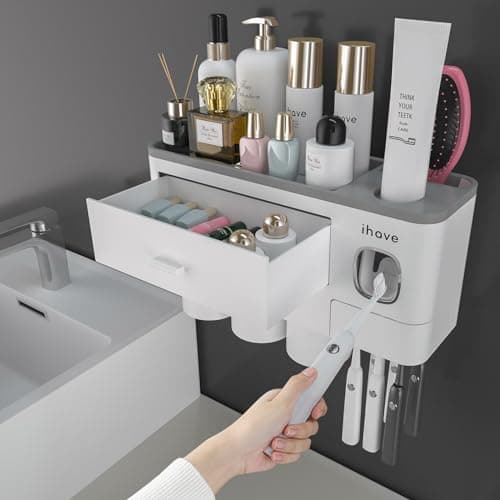
 WART Corn Remover Pads for Feet, 40% Salicylic Acid Wart Remover Pads, Corn...$6.39$7.9920% offToothbrush Holders Wall Mounted with Toothpaste Dispenser & 3 Cups | All-in-One...$18.39$22.9920% off
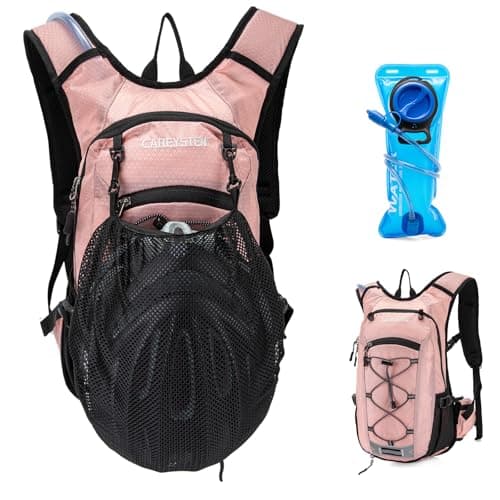 Carey STENHydration Backpack Hiking Pack Equipped 2L Water Bag$28.79$31.9910% off