
How to Use Amazon Coupons & Promo Codes: A Step-by-Step Guide
Fat Kid Deals3 months ago10 min read
Fat Kid Deals may earn from qualifying purchases - more info
Affiliate Disclosure: As an Amazon Associate, Fat Kid Deals earns from qualifying purchases. Prices and availability are subject to change.
We may earn a commission for purchases made through links on the website.
Fat Kid Deals may earn from qualifying purchases - more info
Applying an Amazon coupon or promo code is the fastest way to slash your cart total right before you pay. You simply clip a digital badge on the product page or input an exclusive code into a textbox on the final checkout screen. Learning how these two systems interact is the secret to scoring massive discounts. Most shoppers only use one method and leave serious money on the table.
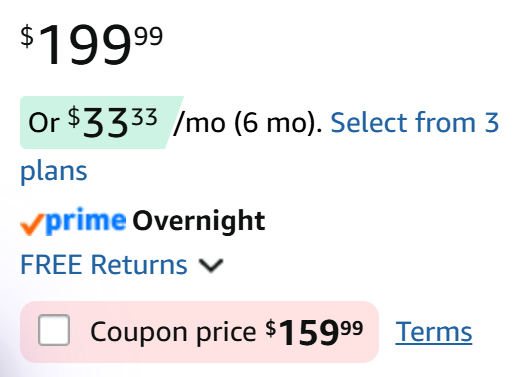
Amazon coupons are digital discounts attached to specific products directly on the platform. You click a small checkbox below the price tag before adding the item to your cart.
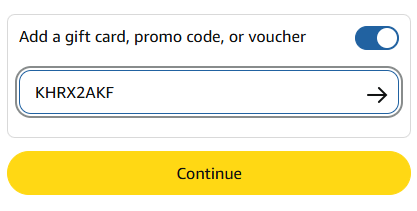
Amazon promo codes operate entirely differently from those clippable badges. They require manual entry during the checkout process. You must type or paste these codes into a designated text box.
Recent updates in 2026 have kept the core mechanics identical, but Amazon now highlights active coupons with a bright-red container. This makes them much easier to spot while scrolling on your mobile device. Understanding exactly where to find these deals will change how you shop online forever.
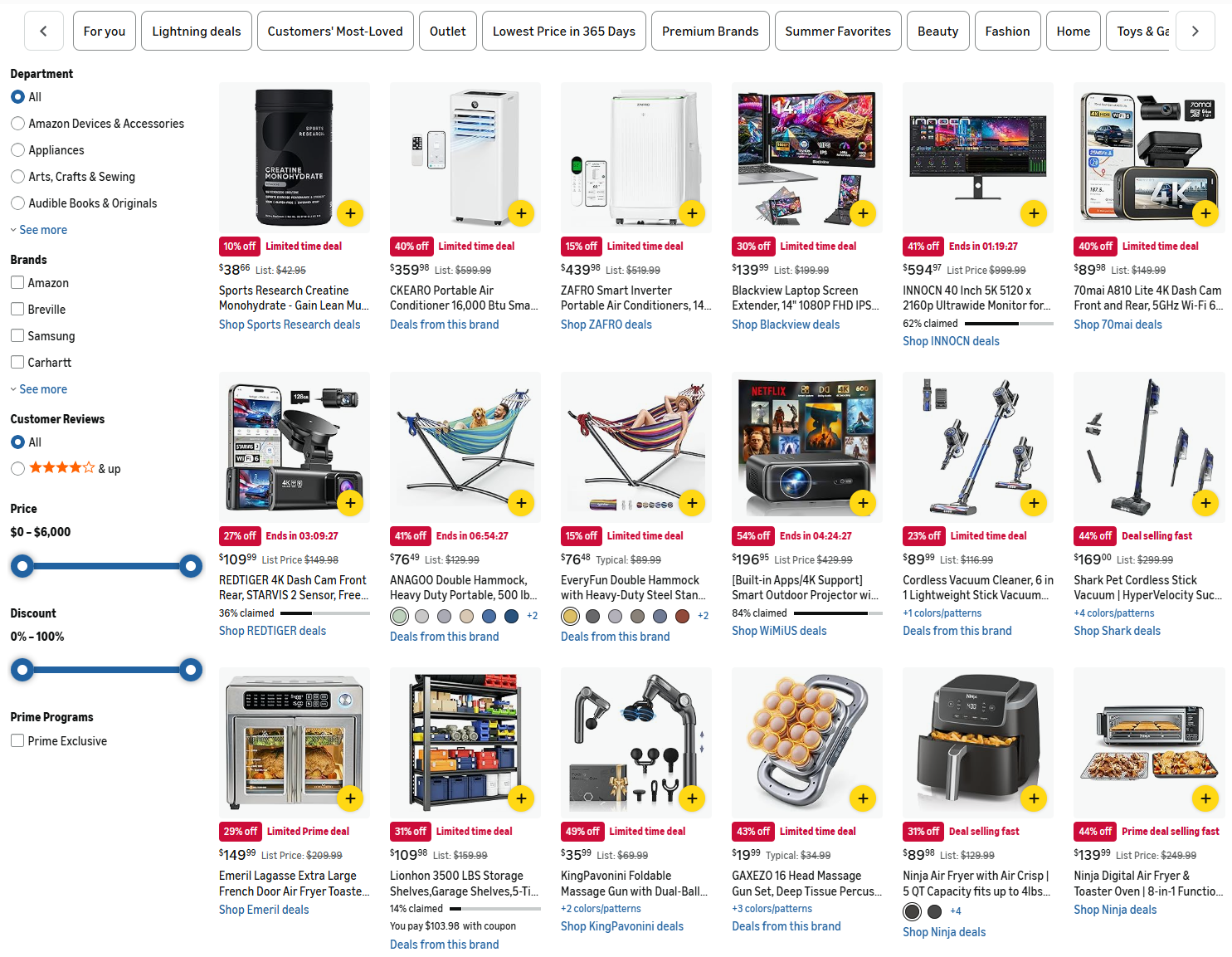
Finding the best deals starts on the official Amazon Coupons homepage. This hidden dashboard lists every currently active digital coupon across the entire site.
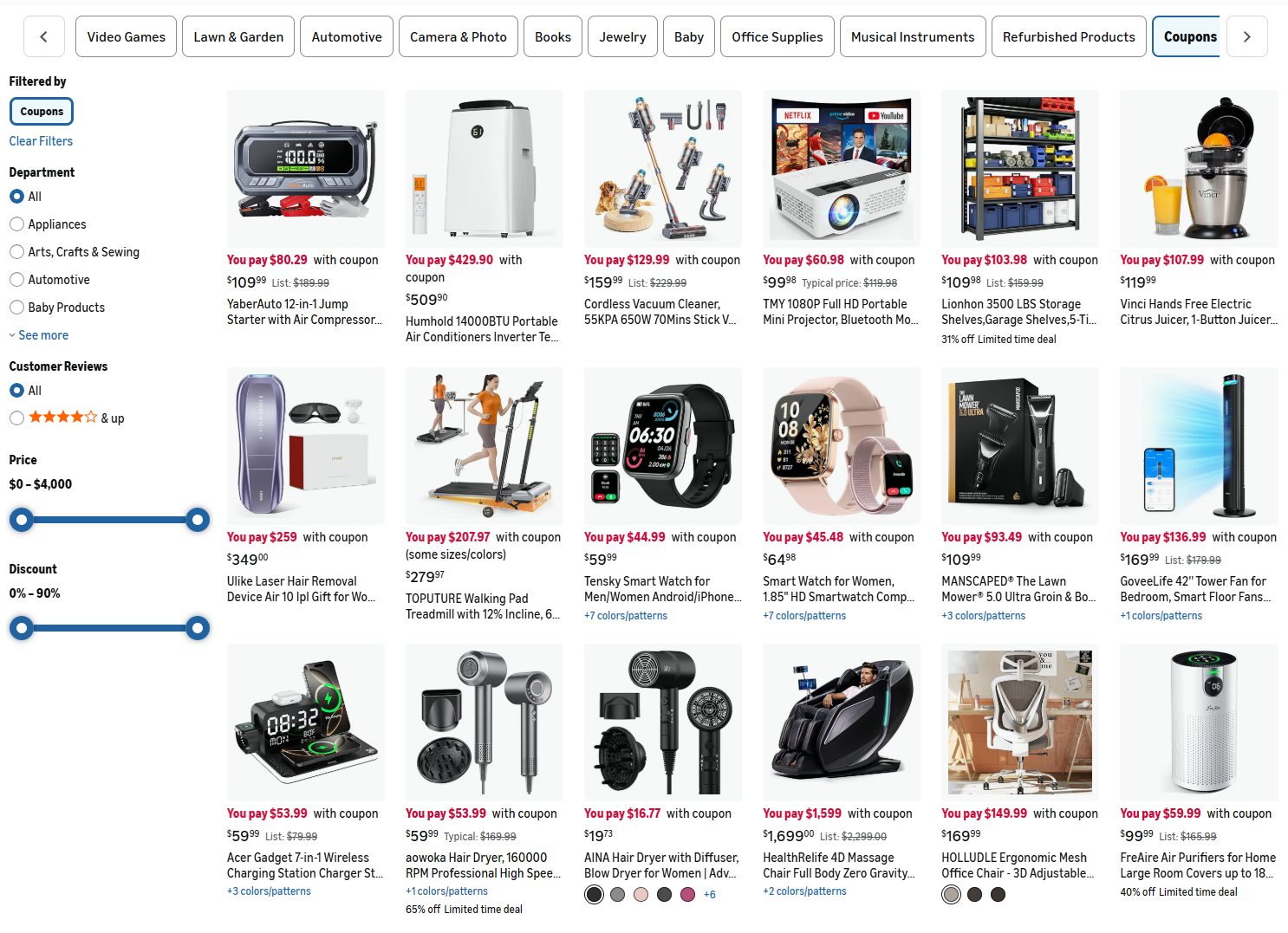
You can filter this massive list by category, price, and discount amount. Popular sections include daily groceries, beauty products, and home electronics.
Another great hunting ground is the Today's Deals section. Amazon features temporary price drops here every single morning. Many of these discounted items also feature a hidden clippable coupon for a double discount.
Third-party deal websites aggregate secret promo codes that sellers do not publish publicly. We tested several platforms and found that dedicated deal communities find the best codes.
Websites like Fat Kid Deals give shoppers access to the best Amazon coupons and promo codes.
Checking the product page is your last line of defense before paying. The coupon checkbox sits directly below the item's price tag.
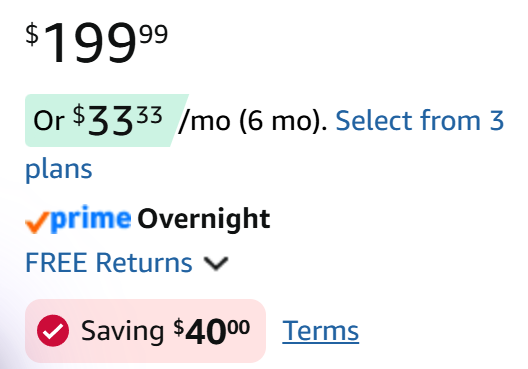
You must train your eyes to look for active coupons. Amazon highlights current coupon values in a red container to make them stand out. If you do not see a red box, that specific item doesn't currently offer a digital coupon.
Clipping a digital discount is incredibly easy. The system attaches the savings directly to your account in the background.
The system applies clipped coupons automatically at the very end of your transaction. You will not see the price drop while the item just sits in your cart.
You must click through to the final order review page. This is where the digital receipt breaks down your specific savings.
Sometimes the checkbox disappears entirely before you check out. This usually means the promotional budget ran out before you could officially claim it.
Promo codes require a bit more manual effort, but are still easy to redeem.
A successful code entry triggers a green success message. The order total on screen will instantly decrease to reflect your promo code savings.
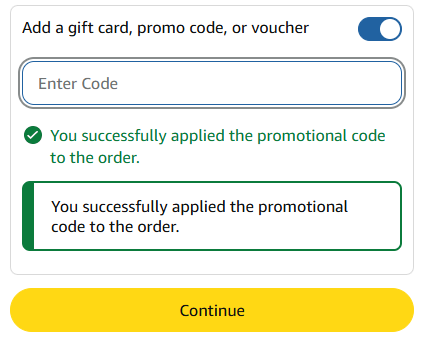
You can't enter codes on the product page itself. The final payment screen is the only place where shoppers can redeem a promo code.
Promo codes are highly sensitive to typos. Copying and pasting the text prevents accidental capitalization errors or confusing a zero for the letter O.
Stacking different discount types feels like hitting the retail jackpot. You might assume combining a digital coupon with a promo code is a guaranteed win.
That assumption will quickly lead to serious frustration at checkout. Coupons and promo codes don't always play nicely together.
Third-party sellers actually control exactly how their promotions interact on the backend. Many merchants specifically block shoppers from using both discounts simultaneously.
This strict limitation protects sellers from accidentally giving their inventory away. If they offer a 40% coupon and a 50% promo code, stacking them would completely wipe out their profit margin.
The system usually forces you to settle for just one discount. It will typically apply the larger promotion automatically and cancel out the smaller one.
Sometimes you get lucky and find a seller who forgot to restrict their settings. If you clip a 30% coupon and enter a 30% code, you might actually secure a massive 60% total reduction.
You simply have to test both methods on the final payment screen. It never hurts to try applying both just in case the seller allows double dipping.
You absolutely can't stack two promo codes together under any circumstances. The checkout box only processes one single alphanumeric string per order.
Knowing which type of deal you are looking at helps you formulate a better checkout strategy.
| Deal Type | How to Claim | Can You Stack It? | Typical Discount Amount |
|---|---|---|---|
| Digital Coupon | Click the green checkbox | Sometimes (depends on seller) | 10% to 25% off |
| Promo Code | Type text at checkout | Sometimes (depends on seller) | 10% to 50% off |
| Lightning Deal | Add to cart immediately | Sometimes, if a coupon exists | 15% to 30% off |
| Subscribe & Save | Select recurring delivery | Yes, with clipped coupons | 10% to 25% off |
| Outlet Deal | Browse the Outlet page | Yes, with clipped coupons | Up to 60% off |
The table above proves that digital coupons are the most versatile discount type. They act as the foundational layer for almost every major savings strategy on the platform, even if third-party sellers occasionally block you from stacking them with manual codes.
The table above proves that digital coupons are the most versatile discount type. They act as the foundational layer for almost every major savings strategy on the platform.
Automated deliveries offer another massive layer of potential savings. Amazon heavily rewards customers who schedule recurring shipments for basic household goods.
You instantly save between 5% and 15% when you use the Subscribe and Save feature. The exact percentage depends entirely on how many items you schedule for that specific month.
You can stack clipped coupons on top of this subscription discount. This combination often creates the absolute lowest price possible for items like toilet paper and dog food.
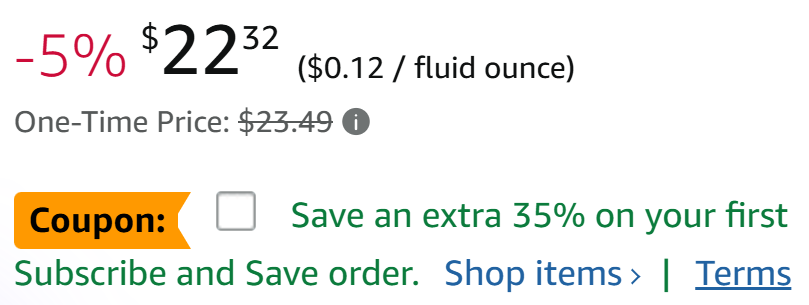
The clipped coupon only applies to your very first delivery. Your subsequent monthly shipments will revert to the standard Subscribe and Save discount rate.
You must clip the coupon before setting up the subscription. The discount will attach itself to the initial order automatically.
If you cancel the subscription immediately after the first delivery, Amazon will not penalize you. You keep the items and you keep the coupon savings.
The Amazon Outlet is different from the standard daily deals page. This secret section houses overstocked items that sellers desperately need to clear out immediately.
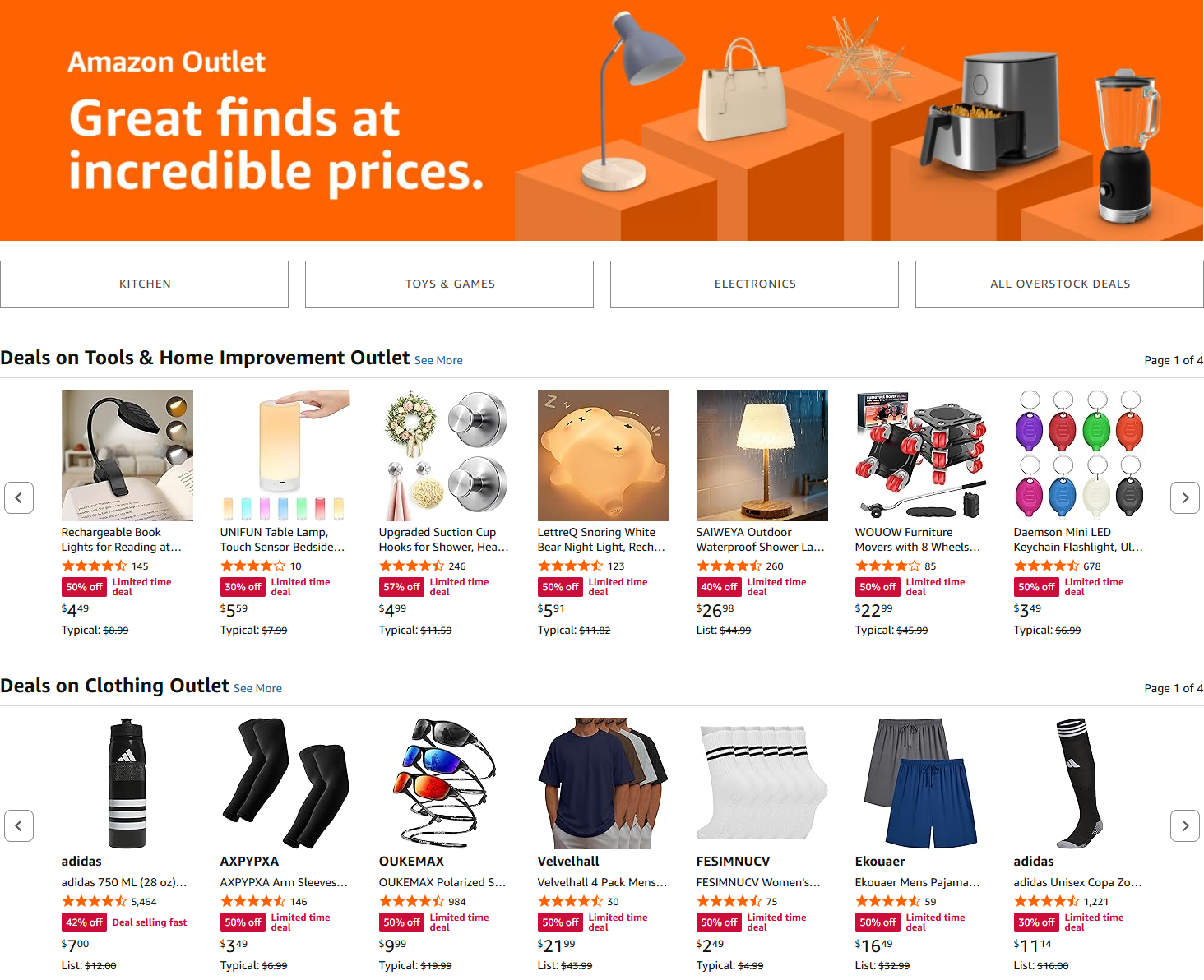
Discounts here frequently exceed 50% off the original sticker price. You can find everything from seasonal winter clothing to obscure automotive parts.
Outlet items frequently feature their own clippable coupons. This creates a highly profitable double-discount scenario where you stack a clearance price with a digital coupon.
You don't need a Prime membership to shop the Outlet. It's completely open to the general public all year long. You can access it by typing "Amazon Outlet" directly into the main search bar.
Amazon Warehouse offers massive price cuts on open-box and returned items. You can find perfectly good electronics and home goods for a fraction of their retail cost.
Sometimes Amazon runs extra promotional events for Warehouse inventory. They will automatically apply an extra 20% off your cart at checkout during special holidays.
You cannot usually apply standard manufacturer promo codes to Warehouse items. These products are considered used, which immediately voids most brand-specific promotions.
However, sitewide Amazon promotional credits still work perfectly here. You can use your delayed shipping rewards to make open-box items incredibly cheap.
You can earn free credits without actually spending your own cash. Amazon offers several official programs that reward your time with digital money.
The Amazon Shopper Panel pays you to upload your grocery receipts. You can easily earn monthly rewards just for sharing basic shopping info with the company.
Choosing delayed shipping options is another incredibly easy win. Amazon frequently offers digital rewards if you choose No-Rush Shipping at checkout.
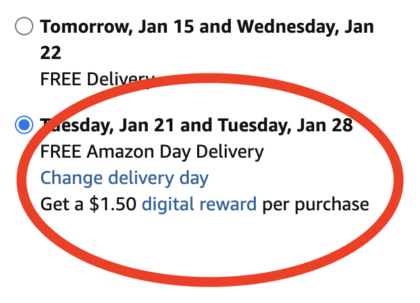
You can apply these earned promotional credits just like standard promo codes. They stack beautifully with clipped digital coupons at checkout.
Expired codes are the most common reason for frustrating checkout failures. Sellers frequently terminate their promotions days earlier than advertised if they run out of stock.
If a code goes viral on social media, the seller's inventory might vanish in a matter of hours. The promotional system automatically shuts down the code once the allocation limit hits zero.
Some codes are account specific, which means they only work for the Amazon account they were issued to. A unique code that appears for someone else may not work when you try to use it on your own account.
Prime membership status dictates your access to certain exclusive deals. Many high-value coupons require an active Prime subscription to redeem.
Third-party sellers often restrict codes to specific colors or clothing sizes. A promo code for a black shirt might fail completely if you put the blue version in your cart.
Check the seller carefully before entering the code. A discount designed for a specific brand's storefront won't work if Amazon officially ships and sells the item instead.
You can verify the seller by looking directly under the "Buy Now" button. It will clearly state who ships the item and who sells it.
Digital coupons have strict limits on exactly how many times you can use them. The vast majority are strictly single-use per Amazon account.
If you buy three identical bottles of shampoo, the $2 coupon only applies to the very first bottle. You pay full retail price for the remaining two.
Returning a coupon-discounted item yields a smaller financial refund. Amazon only refunds the exact cash amount you paid out of pocket.
You don't get the coupon back after processing a return. That specific discount opportunity is permanently burned for your account.
If you used a sitewide promotional credit, you might get that credit refunded to your digital balance. However, standard product-specific coupons are gone forever once redeemed.
Why did my clipped coupon disappear at checkout?
A clipped coupon can disappear if the offer expires, is changed, is canceled, or is no longer available before you finish checking out. Amazon also says coupons must still be in effect when you purchase the qualifying item, so always confirm the discount is showing in your final order total before placing the order.
Can I use a promo code on Amazon Fresh groceries?
Sometimes. Amazon Fresh and grocery orders can have their own promo codes, digital coupons, and automatic promotions. However, a promo code for a regular Amazon retail item will not necessarily work on Amazon Fresh. Always check the terms of the specific grocery offer.
Does Amazon Prime Day allow coupon stacking?
Yes. Prime Day offers massive sitewide discounts, and you can still stack digital coupons on top of Prime Day lightning deals. This is often how shoppers find the biggest discounts of the year.
Can I apply a coupon after I already placed the order?
No. Amazon does not allow retroactive coupon applications. If you forget to clip the badge or enter the code, you must cancel the order and place it again.
Do Amazon coupons expire?
Yes. Amazon coupons are valid for a limited time and can also be changed or canceled. A coupon that was available earlier may not still be active later, even if you previously saw it on the product page.
Can I use multiple promo codes on one order?
You can use multiple codes if they apply to entirely different items in your cart. You cannot use two different codes on the exact same item.
What happens if I return an item bought with a coupon?
You'll only receive a refund for the exact amount your credit card was charged. The value of the coupon is permanently lost and will not be returned to your account.
Do I need Amazon Prime to use promo codes?
No. Standard promo codes work for all Amazon accounts. However, certain high-value digital coupons are locked exclusively behind the Prime membership paywall.
Why does my promo code say it's invalid?
The code might be expired, typed incorrectly, or restricted to a different color or size. Verify you are buying from the correct third-party seller, as codes are often seller-specific.
Can I stack a coupon with a Subscribe and Save discount?
Absolutely. You can clip a digital coupon and apply it to your very first Subscribe and Save delivery. The coupon will not apply to future monthly refills.
Mastering the checkout process is critical for anyone looking to save money on their favorite products. Taking the time to hunt for Amazon coupons and promo codes can help shoppers save over 50% on popular items.
You should never click the final purchase button without running a quick search for a promo code first. Take an extra sixty seconds to hunt down those codes, and watch your bank account thank you.
Last Updated: June 15, 2026
 6 Pack Classic Baseplates 10" x 10", Building Base Plates for Building Bricks,...$8.39$13.9940% off
 Healing Balm with Myrrh and Frankincense Essential Oils for Soothing Nerve...$13.13$15.4515% off
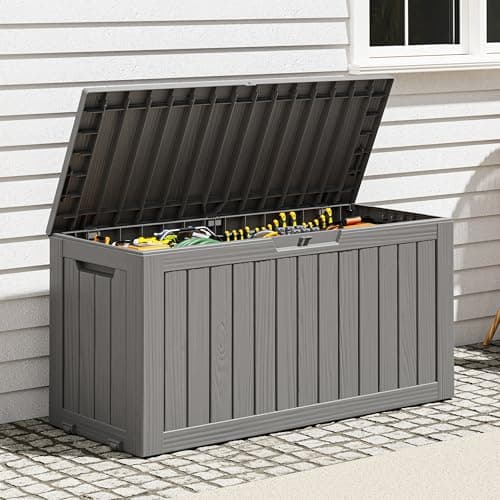 Outdoor Storage Box, Resin Deck Boxes Indoor and outdoor, Waterproof Storage...$55.79$92.9940% off
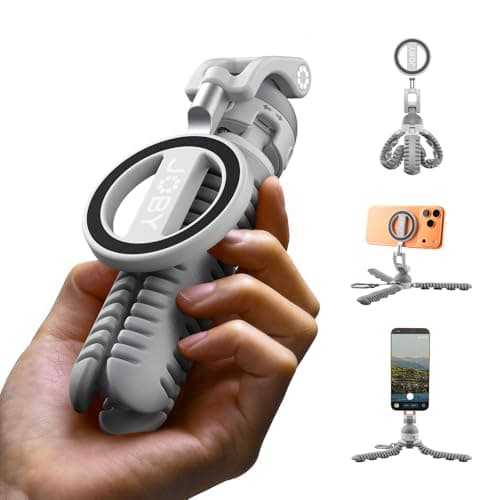 PodZilla™ SuctionTripod Magnetic Kit,Flexible Magnetic Tripod with Suction...$31.99$39.9920% off6 Pack Classic Baseplates 10" x 10", Building Base Plates for Building Bricks,...$8.39$13.9940% offHealing Balm with Myrrh and Frankincense Essential Oils for Soothing Nerve...$13.13$15.4515% offOutdoor Storage Box, Resin Deck Boxes Indoor and outdoor, Waterproof Storage...$55.79$92.9940% offPodZilla™ SuctionTripod Magnetic Kit,Flexible Magnetic Tripod with Suction...$31.99$39.9920% off
