 50% OFF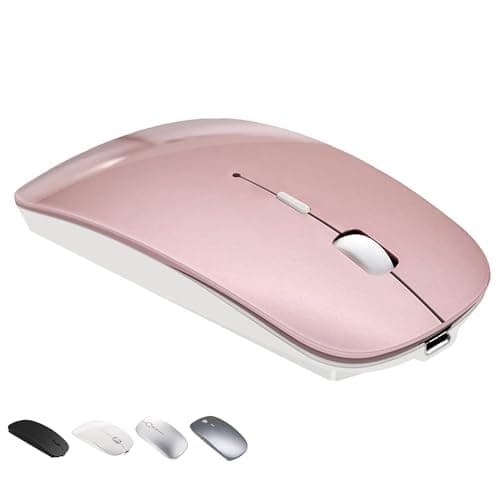
1 / 7
Swipe for more • 1/7
+1
1 / 7
Swipe for more • 1/7
+1
Frequently Asked Questions
Yes, it is fully compatible with MacBook Air, MacBook Pro, and other Mac devices running iOS 13.1.2 and above.
Press and hold the 'connect' button on the mouse for 3 seconds until the blue light flashes, then select the mouse in your Mac's Bluetooth settings. If prompted for a PIN, just click 'OK' without entering any numbers.
After a 2-4 hour full charge, the mouse can work continuously for 3-4 weeks based on average daily usage of 8 hours.
Yes, it features a slim design with soft, quiet clicks to avoid disturbing others.
Yes, it enters sleep mode after 8 minutes of inactivity and automatically switches off when your PC turns off to save energy.
Recommended Uses
- Enhance productivity for MacBook Air and Mac Pro users with seamless Bluetooth connectivity during work or study sessions.
- Use as a silent, comfortable mouse in shared office spaces or libraries to avoid disturbing others.
- Ideal for travelers needing a compact, rechargeable mouse compatible with laptops, tablets, and desktops.
- Perfect for graphic designers and students requiring precise, responsive control on multiple operating systems.
- Use in home offices for efficient navigation across PCs, iMacs, and Android tablets without frequent battery changes.
- Switch effortlessly between devices with Bluetooth support for a smooth workflow in multitasking environments.
$18.99

![acer HDMI Switch 5 in 1 Out [4K@60Hz, HDMI 2.0, HDCP 2.3, HDR] Switcher with Remote, Supports DTS, Dolby, Work for PS5/Xbox/Switch/Roku/TV Stick/Projector](/_next/image?url=https%3A%2F%2Fm.media-amazon.com%2Fimages%2FI%2F41bUH9EHfuL._SL500_.jpg&w=3840&q=75)