
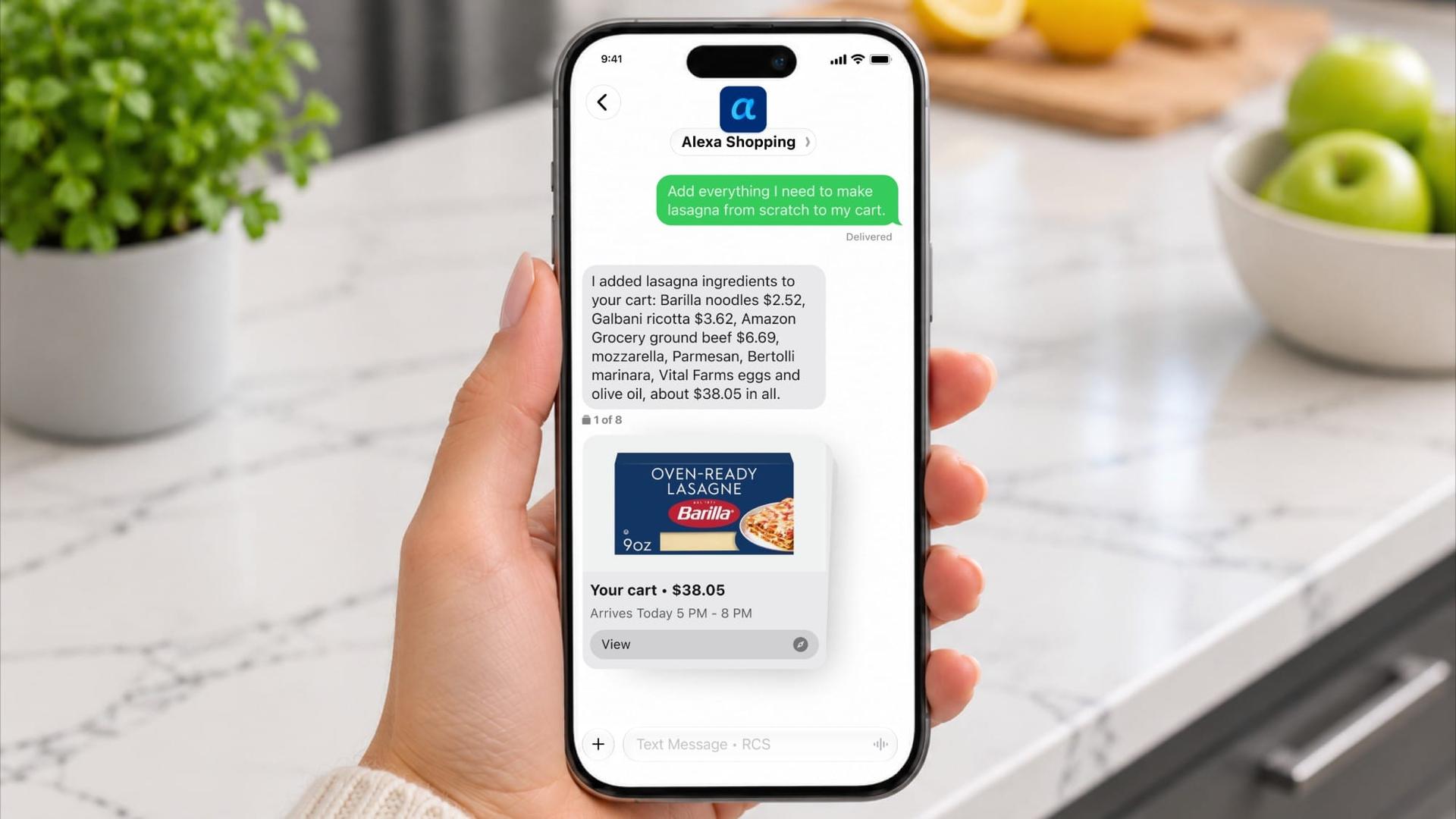
You can now text Amazon like it's a friend, and it'll do your shopping for you. Amazon's new Alexa Shopping by text lets you send a message and have Alexa find products, build your cart, and check out. Your first order placed by text gets $5 off.
On this page
Today’s best deals


How it works
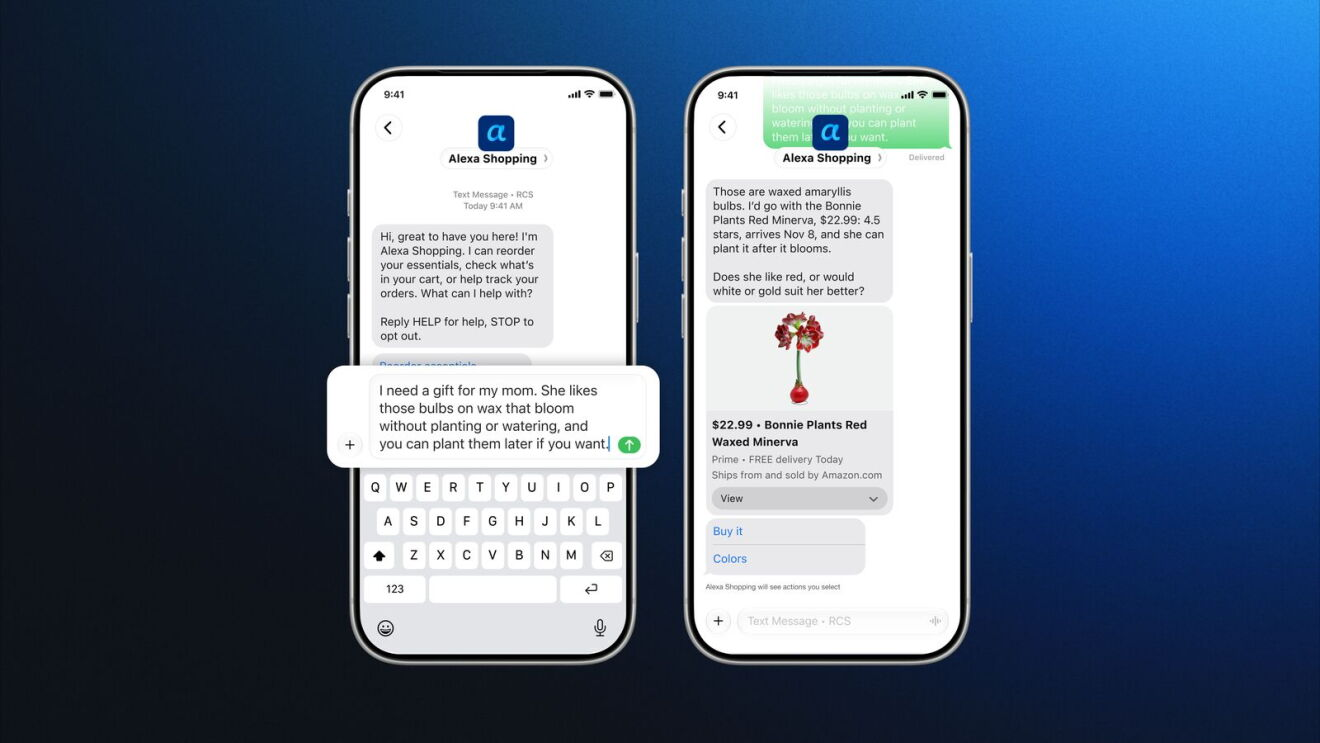
Once you're set up, Alexa Shopping shows up in your phone as a regular contact, and you text it like anyone else. You can send a whole list at once, like "we're out of dog food and paper towels, and I need a gift for my sister," and it works through each one. It searches, compares options, texts you back with picks, and completes the purchase when you say go.
It can also reorder something you bought last month, compare the top-rated robot vacuums, and even cancel an order for you.
Groceries without the app
Text it a recipe and it adds the ingredients to your cart. You can also have it build your weekly order from what you usually buy. Forgot something? Text "add broccoli to that order" and it's in.
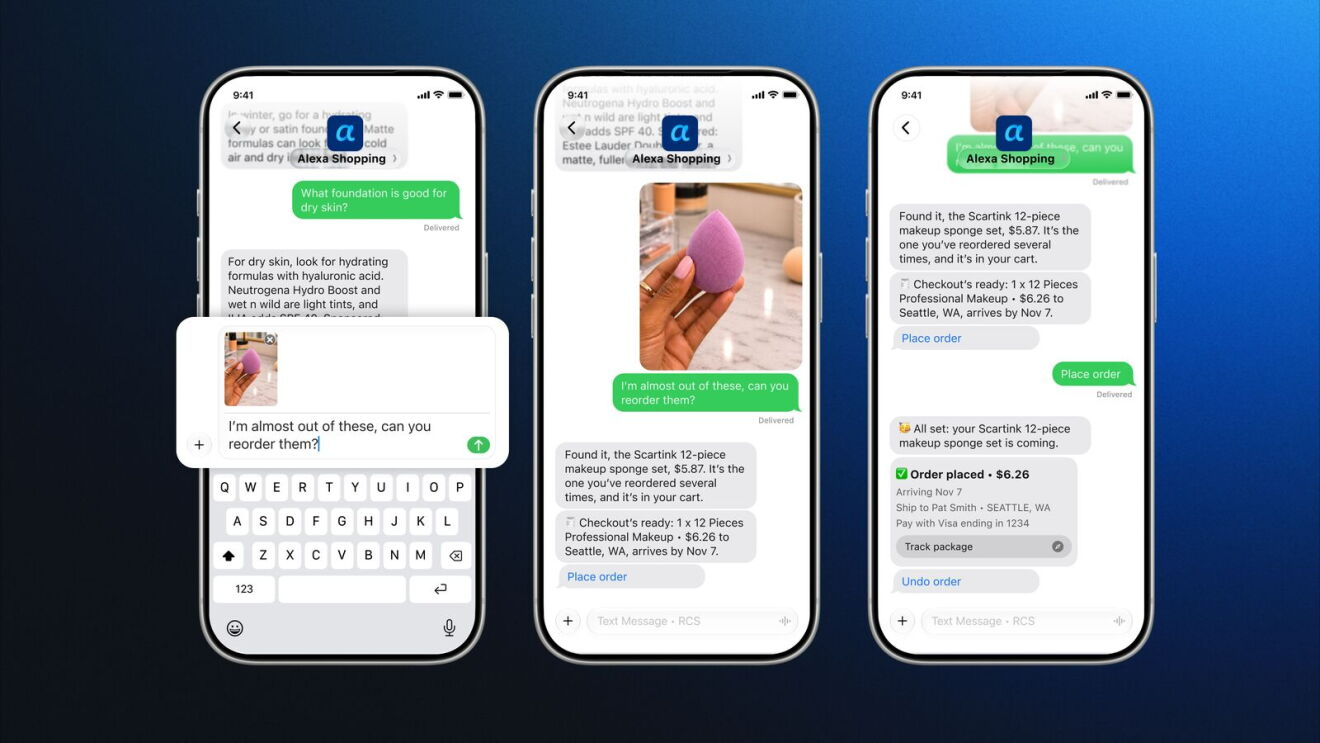
Snap a photo to reorder
Running low on something? Take a picture and text it over, and Alexa reorders it. You can also send a photo of an outfit or product you spotted online and ask for similar items.
Price drop alerts
This is the most useful part for deal hunters. Tell Alexa what you're watching and it'll text you when the price drops. According to Amazon, Alexa for Shopping can show up to a full year of price history and can even buy an item once it hits your target price.
It remembers what you like
Tell it once, like "we only drink oat milk" or "my son wears a youth size 12 now," and it keeps that in mind for next time. A chat you start over text also carries over to the Amazon app, Amazon.com, and Alexa devices, so you can start gift shopping on your phone and finish at home.
The $5 off deal
Your first order placed by text with Alexa Shopping gets $5 off. Here are the main terms:
- It's a limited-time offer, one per customer and account.
- It works on eligible items sold by Amazon and third-party sellers on Amazon.com.
- Gift cards, digital content, subscriptions, and some other products are excluded.
- Amazon Business accounts aren't eligible.
- Everything has to be in one order, shipped at the same speed to one address.
What you need
Alexa Shopping by text works in all 50 states and Washington, D.C. You'll need:
- A personal Amazon account with a verified mobile number set as your primary phone number
- A phone with RCS chats turned on
- A carrier that supports RCS business messaging
On iPhone: You need iOS 18 or later. Go to Settings, tap Apps, then Messages, and turn on RCS Messaging. If you don't see that option, your carrier doesn't support RCS on iPhone yet. Apple says it can take a few hours to activate after you first turn it on. Google Fi on iPhone isn't supported.
On Android: Open Google Messages, go to Settings, then RCS Chats, and turn it on.
How to get started
Head to the Alexa Shopping by text page, tap Text Alexa, and accept the terms. Once you get the welcome text, you're ready to shop.