25 Best Alexa+ Features to Try: What Amazon’s New AI Assistant Can Do
Fat Kid Dealsabout 2 months ago11 min read

Fat Kid Deals may earn from qualifying purchases - more info
Affiliate Disclosure: As an Amazon Associate, Fat Kid Deals earns from qualifying purchases. Prices and availability are subject to change.
We may earn a commission for purchases made through links on the website.
Fat Kid Deals may earn from qualifying purchases - more info
Alexa+ turns Amazon’s familiar voice assistant into a more conversational AI that can answer complex questions, remember preferences, organize schedules, control smart-home devices, and complete tasks through connected services.
Unlike the original Alexa, which often required precise commands, Alexa+ can understand natural language, retain context, and handle requests involving multiple steps. It can also connect with services such as Uber, OpenTable, Grubhub, Ticketmaster, Ring, Amazon Fresh, and Whole Foods Market.
Amazon highlights more than 50 potential uses for Alexa+. We narrowed them down to the 25 most useful and compelling features worth trying first.
Editor’s note: Alexa+ availability and features can vary by country, device, account, subscription, and connected service. Some capabilities require compatible hardware or paid third-party subscriptions.
The original Alexa was primarily designed for direct commands such as setting timers, playing music, checking the weather, or turning off lights.
Alexa+ can understand conversational requests and continue a discussion without requiring you to repeat the wake word before every follow-up question. It can also remember personal preferences, analyze uploaded information, and work with outside services to complete tasks.
For example, you can ask Alexa+ to recommend a restaurant, reserve a table, add the plans to your calendar, and send the details to someone else—all within the same conversation.
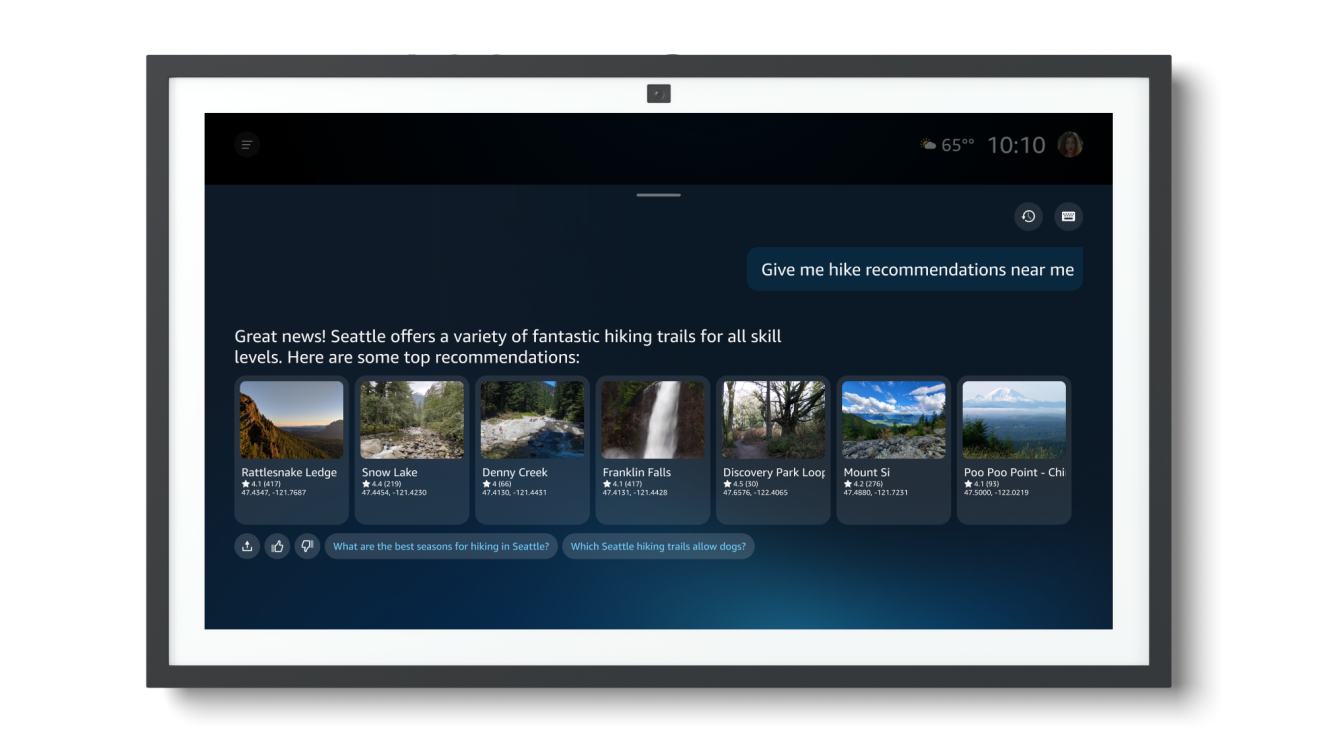
Alexa+ lets you speak more casually instead of carefully structuring every request.
You can ask follow-up questions, change direction midway through a conversation, or provide incomplete details without starting over. Alexa+ is designed to remember the subject and understand what you’re referring to.
Try saying: “Alexa, help me plan a weekend camping trip for two adults, two kids, and a dog.”
Alexa+ can explain topics, compare options, and adjust its response based on your follow-up questions.
You can ask for a simple explanation, request more detail, or tell Alexa+ to tailor an answer for a child, beginner, or experienced user.
Try saying: “Alexa, explain how solar panels work and compare rooftop panels with a ground-mounted system.”
Alexa+ can generate a daily briefing based on the topics you care about.
Instead of receiving a generic news summary, you can ask for updates involving specific sports teams, industries, companies, entertainment topics, or local weather.
Try saying: “Alexa, give me a morning briefing with technology news, local weather, and Seahawks updates.”
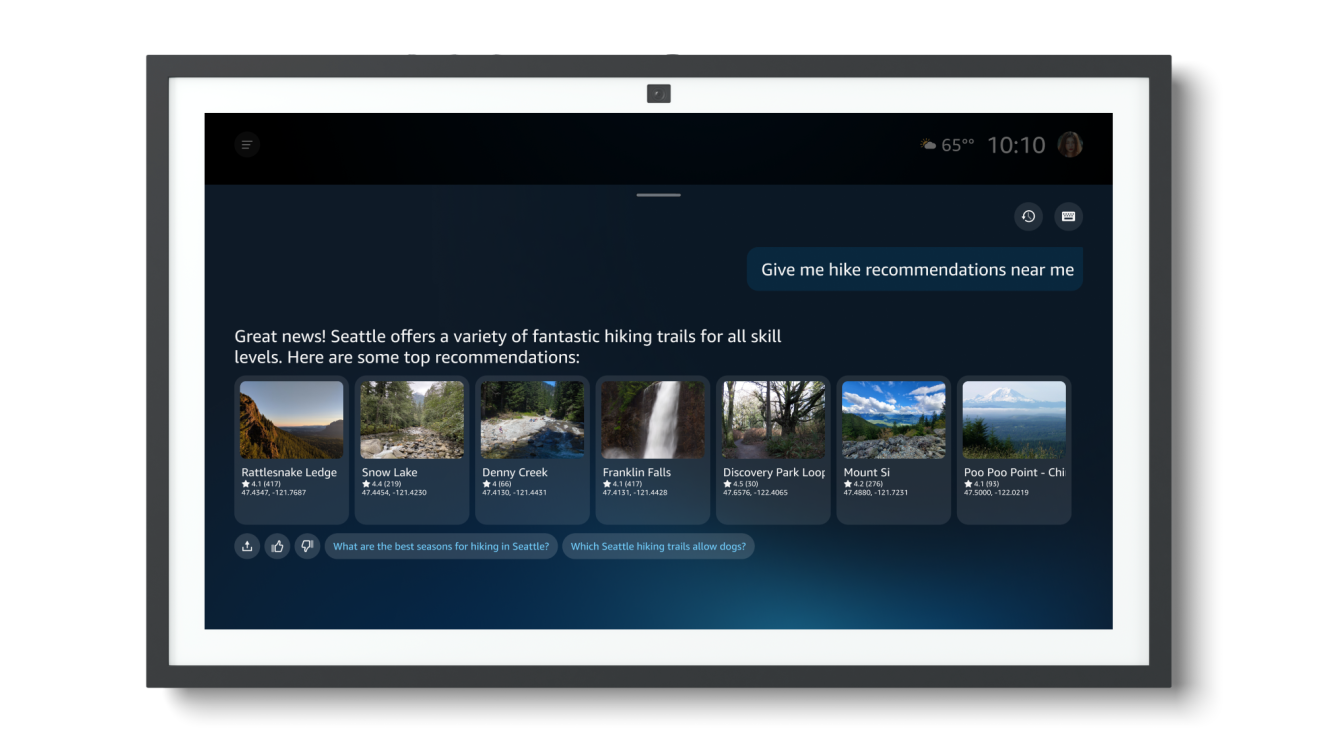
Alexa+ can create a podcast-style audio episode about a topic you choose.
This could be useful for learning about a travel destination, getting an overview of a historical event, or understanding a new hobby while driving, cooking, or exercising.
Try saying: “Alexa, create a 10-minute podcast about what I should know before visiting Iceland.”
You can ask Alexa+ to remember information you frequently need.
Examples include dietary restrictions, a favorite recipe, important dates, where an item is stored, or places you want to visit. Alexa+ can use those details to personalize future responses.
Try saying: “Alexa, remember that Sarah is vegetarian and Michael can’t eat gluten.”
Avoid storing passwords, financial credentials, or other highly sensitive information.
Alexa+ can work with uploaded documents, manuals, emails, photos, and notes.
You can ask it to summarize the material, locate a specific detail, explain a confusing section, or create questions based on the content.
This could help with appliance manuals, school schedules, homeowners association documents, travel itineraries, or study materials.
Try saying: “Alexa, review this manual and tell me how to clean the filter.”
You can begin a conversation on an Echo device and continue it through the Alexa app or Alexa.com.
Alexa+ retains the context, so you don’t need to explain the entire situation again when switching from your kitchen speaker to your phone or computer.
For example, you could begin planning a vacation at home, review hotels on a laptop, and continue refining the itinerary from your phone.
Alexa+ can summarize your schedule, add events, and identify open time on connected calendars.
You can also explain scheduling preferences, such as leaving a buffer before appointments or avoiding meetings during a certain part of the day.
Try saying: “Alexa, summarize tomorrow’s schedule and tell me when I have an open hour.”
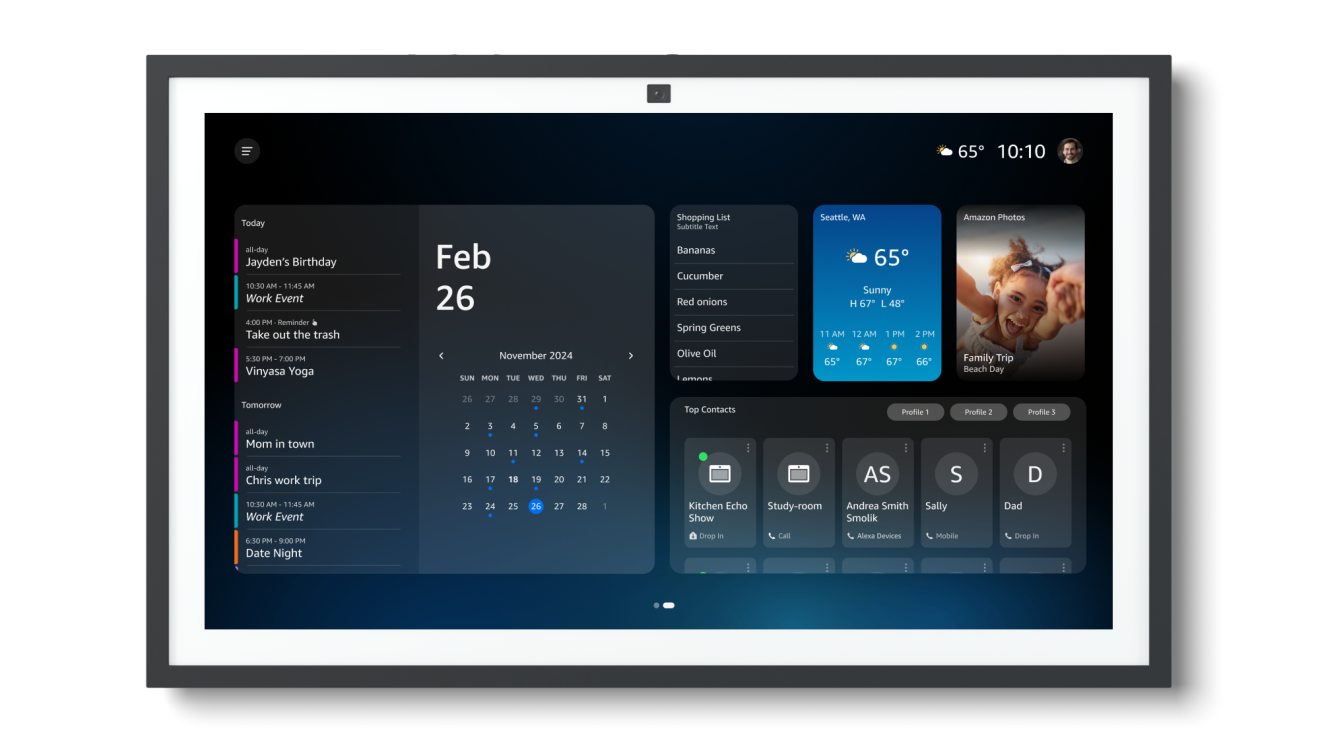
Instead of manually copying event details, you can provide Alexa+ with an invitation, email, flyer, or photo.
Alexa+ can identify the date, time, location, and event description before creating a calendar entry or reminder.
Try saying: “Alexa, add the event in this flyer to my calendar and remind me one week beforehand.”
Alexa+ can help draft emails or text messages, adjust their tone, and send them to your contacts.
You could use it to write a quick appointment confirmation, invitation, follow-up message, or note explaining that you’re running late.
Try saying: “Alexa, write a friendly text telling Daniel I’ll arrive about 15 minutes late.”
Review important messages before sending them.
Long school announcements, work threads, and event messages can contain only a few details that actually require action.
Alexa+ can summarize forwarded emails and answer follow-up questions about dates, deadlines, materials, or next steps.
Try saying: “Alexa, summarize these school emails and tell me which dates belong on the calendar.”
Alexa+ can search for a scene based on a quote, actor, character, or description.
Instead of manually fast-forwarding, you can describe what happens in the scene and ask Alexa+ to locate it on a compatible Fire TV service.
Try saying: “Alexa, find the scene in that Bradley Cooper movie where he sings a duet.”
Availability depends on the title, device, and streaming service.

Alexa+ can help identify a song even when you don’t know its title or artist.
You can describe part of the lyrics, where you heard it, the singer’s voice, the movie it appeared in, or its general style.
Try saying: “Alexa, what was the song playing during the final scene of the show we watched last night?”
Alexa+ can recommend movies, shows, books, podcasts, and music based on a detailed description of what you want.
Instead of selecting only a broad genre, you can mention tone, length, content, actors, or themes.
Try saying: “Alexa, find a funny mystery movie that isn’t too violent and is under two hours.”
Creating Alexa Routines traditionally requires configuring triggers and actions inside the app.
With Alexa+, you can simply describe the automation you want. It can combine compatible lights, thermostats, appliances, music, and other devices.
Try saying: “Alexa, every weekday at 7 a.m., slowly brighten the bedroom lights, start the coffee maker, and play peaceful music.”
Alexa+ can trigger reminders or smart-home actions based on weather conditions.
You might ask it to remind you to secure outdoor furniture before strong winds, adjust the thermostat during extreme heat, or warn you when rain is expected.
Try saying: “Alexa, remind me to close the patio umbrellas whenever strong winds are forecast.”
With compatible Ring devices and the required subscription, Alexa+ can summarize camera activity and display relevant footage on an Echo Show.
Instead of reviewing every recording, you could ask what happened while you were away or search for specific activity involving a person, pet, package, or vehicle.
Try saying: “Alexa, show me every time the dog was in the backyard this week.”

Alexa+ can understand the meaning behind a request rather than requiring an exact device name.
For example, saying that you’re cold could prompt it to adjust a compatible thermostat. You can also control several devices with one sentence.
Try saying: “Alexa, turn off everything downstairs except the porch light, lock the door, and lower the thermostat.”
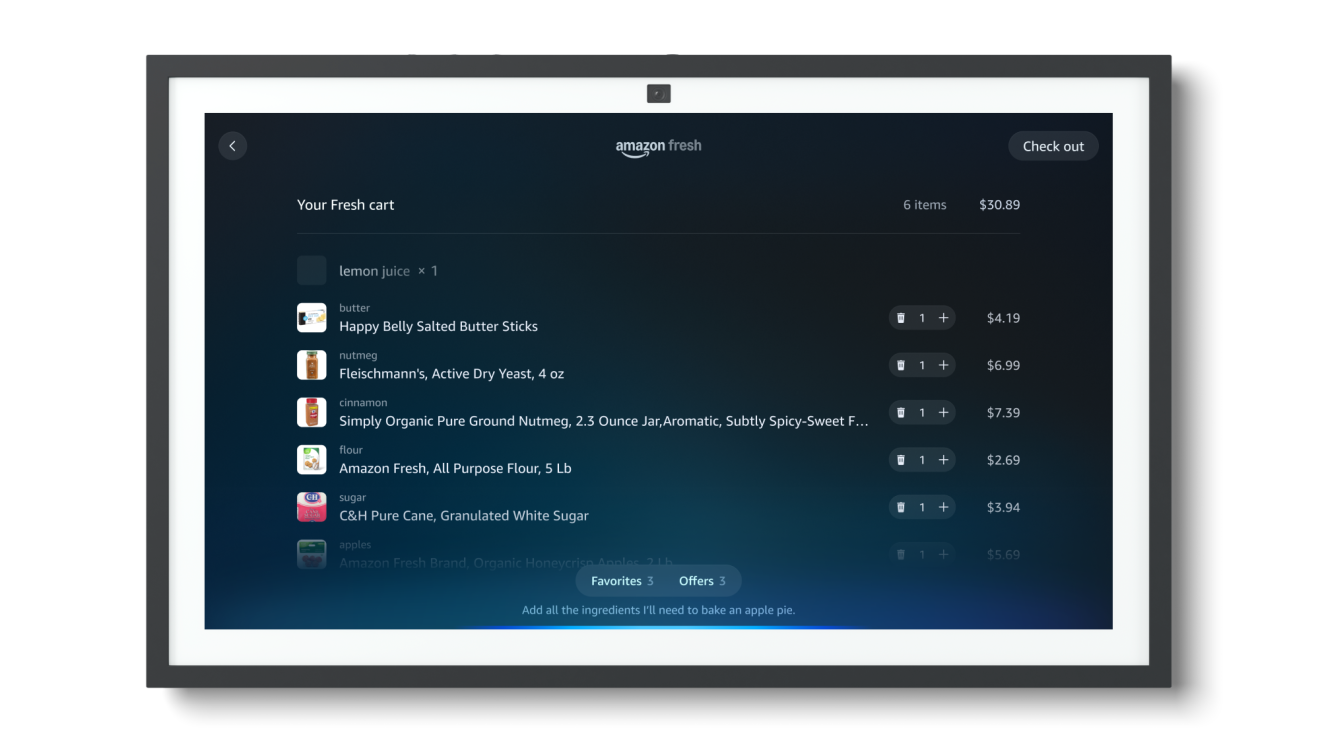
Alexa+ can help create meal ideas, identify required ingredients, and prepare an order through supported grocery services.
You can tell it what meals you want to cook, remove items you already have, and add the remaining ingredients to an Amazon Fresh or Whole Foods Market order.
Try saying: “Alexa, plan three easy dinners and add the ingredients I’ll need to my grocery order.”
Review prices, quantities, and substitutions before placing the order.
Alexa+ can watch eligible Amazon products and alert you when the price drops.
You may also be able to provide a target price and allow Alexa+ to purchase the item when it falls below that amount, using your default shipping and payment information.
Try saying: “Alexa, notify me when this air fryer drops below $80.”
Review voice-purchasing and approval settings before enabling automatic purchases.
Alexa+ can search for restaurants and reserve tables through OpenTable.
You can specify the cuisine, neighborhood, number of guests, preferred time, price range, or dietary requirements.
Try saying: “Alexa, find a well-rated Italian restaurant nearby with a table for four Saturday at 7 p.m.”
Alexa+ can help find meals and place delivery orders through supported services such as Grubhub and Uber Eats.
You can describe what you’re craving and adjust the order conversationally by changing ingredients, sides, quantities, or restaurants.
Try saying: “Alexa, find a restaurant that delivers spicy chicken sandwiches and add fries for two people.”
Always verify the items, fees, delivery address, and final total.
Alexa+ can display nearby Uber options, estimated arrival times, and prices before booking a ride.
This can be convenient when you’re getting ready or packing and don’t want to stop to navigate the app.
Try saying: “Alexa, find an Uber that’ll get me to the airport by 4 p.m.”
Confirm the pickup location, vehicle type, and fare before booking.
Alexa+ can search Ticketmaster for concerts, sporting events, and other live entertainment.
You can also ask it to notify you when tickets become available or fall within a specific price range.
Try saying: “Alexa, alert me when two tickets for the next Trail Blazers home game fall below $75 each.”
Ticket fees, resale prices, and availability can vary.
On compatible Echo Show devices, Alexa+ can use the camera to identify certain objects.
You might use it to identify a plant, recognize a pantry product, learn about an unfamiliar item, or receive visual assistance.
After identifying something, Alexa+ may also suggest a related action.
Try saying: “Alexa, what kind of plant is this, and how often should I water it?”
Some Alexa+ features require more than a basic account.
You may need:
Amazon Prime includes Alexa+, but it doesn’t cover the cost of third-party services, subscriptions, purchases, deliveries, rides, or tickets.
Alexa+ is included with Amazon Prime at no additional cost for eligible U.S. members.
Prime members receive full household access across compatible Echo devices, Alexa.com, and the Alexa app.
People without Prime can use a limited text-based version through Alexa.com and the app or pay $19.99 per month for the full Alexa+ experience.
Alexa+ is most useful when it reduces the number of apps, searches, and steps needed to complete an everyday task.
Its strongest improvements include:
Prime members have little downside to testing Alexa+ because full access is included with their membership.
The $19.99 monthly price may be harder to justify for non-Prime customers unless they regularly use Alexa devices, smart-home equipment, shared calendars, Amazon shopping, and supported booking services.
Users should also review their privacy, purchasing, connected-account, and stored-memory settings before sharing personal documents or enabling automatic transactions.
Alexa+ can hold more natural conversations, remember context, work with uploaded information, create content, and perform multi-step tasks through supported services.
It also understands less rigid phrasing and can continue conversations across compatible devices.
Alexa+ is included with Amazon Prime.
Non-Prime customers can pay $19.99 per month for full access or use a limited free text-based experience through Alexa.com and the Alexa app.
Not necessarily. Alexa+ works on many compatible Alexa-enabled devices, Alexa.com, and the Alexa app.
Some visual or camera-based features require a compatible Echo Show, Fire TV, Ring device, or other supported hardware.
Alexa+ can help place orders and monitor eligible Amazon products for price changes.
Depending on your settings, it may also complete a purchase when an item reaches a specified target price. Review payment information and purchasing controls before enabling this feature.
Alexa+ can summarize and answer questions about supported documents, emails, photos, and other information you provide.
Avoid uploading highly sensitive information and review Amazon’s privacy controls before connecting accounts or sharing personal documents.
Yes. Alexa+ can control compatible lights, locks, thermostats, cameras, appliances, and other connected devices.
The exact features depend on the products, manufacturers, services, and subscriptions connected to your Alexa account.
Alexa+ can make restaurant reservations through OpenTable and arrange eligible Uber rides. It can also help order food and search for event tickets through supported services.
Yes. Alexa+ is available through the Alexa mobile app and Alexa.com. Conversations can continue across compatible devices while retaining their context.
Alexa+ represents a significant expansion of Amazon’s voice assistant.
Its most compelling features aren’t simple novelty responses. They’re the tools that can turn an email into calendar events, create a smart-home Routine from a spoken description, monitor an Amazon product for a lower price, summarize Ring activity, reserve a restaurant, or arrange transportation.
Not every household will use all 25 features, and several require additional devices, subscriptions, or linked accounts. However, Prime members can explore the full Alexa+ experience without paying an additional monthly fee, making it easier to determine which capabilities are genuinely useful.

 PodZilla™ SuctionTripod Magnetic Kit,Flexible Magnetic Tripod with Suction...$31.99$39.9920% off
 Outdoor Storage Box, Resin Deck Boxes Indoor and outdoor, Waterproof Storage...$55.79$92.9940% offOrganic Plant Based Protein Bars | Chocolate Peanut Butter | Fruit & Nut Bar,...$26.89$29.8810% off
 CircuVeins Circulation Support Supplement for Legs and Veins with Horse...$52.19$57.9910% off